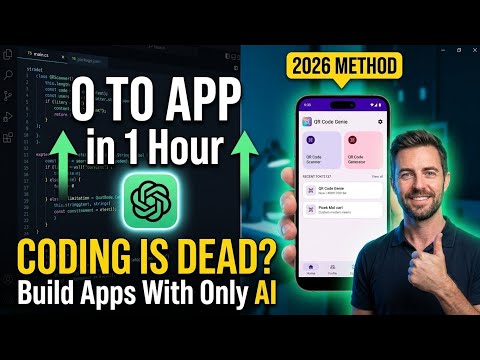
How to Build an Android App with Google AI Studio Using Just a Prompt (2026 Guide)
Discover how Google AI Studio lets you build complete Android apps using a single prompt. Learn how AI is transforming mobile app development faster than ever.
Share
Table of Contents
A few years ago, if someone told me that one day we would build a complete Android application simply by describing it in plain English, I probably wouldn't have believed them. Developing a mobile app meant spending weeks writing code, designing screens, fixing bugs, and testing every feature. It required technical expertise, patience, and countless hours of work.
Today, that reality has changed.
Artificial Intelligence is transforming almost every industry, and software development is no exception. With tools like , developers can now create fully functional Android applications by simply writing a detailed prompt. What once took days—or even weeks—can now happen in just a few minutes.
This isn't science fiction anymore. It's happening today, and it's changing the future of app development.
The Rise of AI in Software Development
Technology has always been about solving problems faster and more efficiently. We moved from handwritten code to modern IDEs, from manual testing to automated testing, and from traditional programming to AI-assisted development.
Now, we're entering a new era where AI doesn't just help developers—it actively collaborates with them.
Instead of starting with thousands of lines of Kotlin code, developers can begin with an idea.
Imagine typing:
"Create a modern QR Code Scanner and Generator app with Material Design, dark mode, scan history, favorites, and a settings page."
Within moments, AI understands the request and starts building the application.
That simple sentence becomes the foundation of an entire Android project.
It's amazing to think that our ideas can now be transformed into working software almost instantly.
Seeing Google AI Studio in Action
Recently, I watched a demonstration that perfectly showcased how powerful AI-assisted development has become.
The process was surprisingly simple.
The presenter opened Google AI Studio, selected the option to Build an Android App, and pasted a carefully written prompt describing the application.
That was it.
Within seconds, the AI started working.
It wasn't generating random snippets of code—it was creating an entire Android project. The interface appeared gradually, Kotlin files were generated automatically, navigation was configured, and the project structure organized itself without any manual effort.
Watching the application come to life felt almost unreal.
Instead of spending hours setting up folders, activities, layouts, and dependencies, everything was created automatically.
Choosing a Beautiful Design
One feature that stood out was Google's ability to generate multiple design options.
Rather than forcing developers to accept a single interface, AI produced several modern layouts to choose from.
This makes development more creative than ever.
Instead of asking,
"Can I build this interface?"
developers can now ask,
"Which design best fits my users?"
That small shift changes the entire development mindset.
More Than Just a Pretty Interface
One misconception about AI-generated applications is that they are only prototypes.
The demonstration proved otherwise.
Google AI Studio generated:
A complete Kotlin project
User interface screens
Navigation between pages
Application logic
Project structure
Ready-to-review source code
Every file was organized just like a professionally developed Android project.
Developers still have complete access to the code, making it easy to customize features, improve performance, or add new functionality.
AI doesn't lock developers out—it gives them a head start.
Testing on a Real Android Device
Perhaps the most exciting part of the demonstration came when the generated application was installed on a real Android phone.
The app wasn't just displaying mock screens.
Everything actually worked.
The application included:
📷 QR code scanning
🔳 QR code generation
🕘 Local scan history
⭐ Favorites
⚙️ Settings
📱 Smooth navigation between multiple screens
Seeing an app go from a simple written prompt to a fully functional Android application running on a physical device was genuinely impressive.
Moments like these remind us how quickly technology is evolving.
Why Prompt Writing Is Becoming a Superpower
If coding has been the primary language of developers for decades, prompt writing may become one of the most valuable skills of the future.
AI can only generate what it understands.
The clearer and more detailed your instructions, the better the results.
A good prompt explains:
The purpose of the application
Required features
Design preferences
User experience
Navigation flow
Functional requirements
Think of a prompt as a conversation with an incredibly skilled developer.
The more clearly you explain your vision, the closer the final application will match your expectations.
Does This Mean Developers Will Become Obsolete?
This is probably the biggest question people ask whenever AI enters a new industry.
The answer is simple:
No.
AI is incredibly fast, but it doesn't replace human creativity, critical thinking, or experience.
It cannot fully understand business goals, customer expectations, security requirements, or the countless decisions involved in building production-quality software.
Developers still play the most important role.
The difference is that AI now handles much of the repetitive work, allowing developers to focus on innovation, problem-solving, and creating better user experiences.
In many ways, AI isn't replacing programmers—it is giving them a powerful new teammate.
The Future Is Already Here
Only a few years ago, creating an Android application required significant programming knowledge.
Today:
Students can build prototypes for projects.
Entrepreneurs can validate business ideas quickly.
Startups can reduce development costs.
Professional developers can accelerate production.
Businesses can launch products faster than ever.
This doesn't mean programming is disappearing.
Instead, programming is evolving.
The developers who succeed in the coming years won't just know how to write code—they'll know how to combine their technical expertise with the power of Artificial Intelligence.
That's where the real advantage lies.
Final Thoughts
Artificial Intelligence is changing the way we build software, and Google AI Studio is a perfect example of this transformation.
Watching an application grow from a simple prompt into a fully functional Android app within minutes is both exciting and inspiring. It shows that the future of software development is no longer about writing every single line of code manually—it's about turning ideas into reality faster than ever before.
As developers, we shouldn't fear this change.
We should embrace it.
The future belongs to those who can combine creativity, technical knowledge, and AI to build smarter, faster, and better applications.
The keyboard is still in our hands—but now, we have an intelligent partner helping us every step of the way.
Key Takeaways
AI is transforming Android app development.
Google AI Studio can generate complete Android applications from a single prompt.
Writing effective prompts is becoming an essential developer skill.
AI speeds up development but does not replace developers.
The future of software development lies in human creativity combined with AI-powered automation.
Share
Published July 15, 2026 by NextSoftware Generation· Topics: Google AI Studio, AI App Development, Android Development, Kotlin, Artificial Intelligence, Prompt Engineering, Mobile App Development, Build Android Apps with AI, AI Coding Assistant, Future of Software Development.
Jun 22, 20267 min read
How to Build High-Performance APIs That Scale Seamlessly
Build scalable APIs with low latency and high reliability using async patterns, strategic caching, efficient data design, and operational best practices that handle growth gracefully.